By Katherine McClosky :: 1:51 PM
 If you received or gave a Kindle Fire

Late in the fall, Amazon and Kindle introduced Kindle FreeTime, a new service, specially designed to provide parents with peace of mind when letting children use tablets. Parents are able to establish a unique profile for each child that they want to use the Kindle, and select specific books, apps, games and videos that the individual child can have access to.
The Kindle FreeTime service is free on the Kindle Fire, and allows granular levels of access to that parents can set daily limits for Kindle use, or restrict uses ant time limits on certain categories – such as game apps and videos – while still allowing for unlimited reading time.
For a child using Kindle’s FreeTime, it creates a very stand-alone experience, as if they have their own personalized tablet. Children can customize the background colors and fonts as they see fit, and will only be able to see book titles and applications that they have been allowed by their parents to see. Their home screen “carousel” will show their recently viewed applications, and they will have the ability to navigate visually to content based on characters or topics. Web browsing capabilities can be turned off in FreeTime so that children are not able to freely roam the Web.
It is even possible to set up more than one child profile per device, and copy profiles to other devices associated with that Amazon account so that multiple children can use the same tablet, or even access their profile on another parent’s tablet.
In addition to the FreeTime complimentary version, Amazon also offers FreeTime Unlimited
With built-in parental controls and the ability of FreeTime Unlimited, Amazon and Kindle are giving other tablet makers like Apple and Samsung a run for their money this holiday season.
By Paul Thomson :: 2:27 AM
 Time Warner Cable, the second largest cable television service in the country, may soon drop two channels from its lineup – IFC and WE tv – under a carriage deal with the channels’ parent company, AMC Networks, which ends on January 1, 2013.
If a deal is not reached on a contract renewal, shows such as “Portlandia,” Â “The Increasingly Poor Decisions of Todd Margaret,” “Kendra on Top,” “Braxton Family Values,” and “Bridezillas” could be off of Time Warner subscribers’ television sets.
A spokesperson for the cable company has told a Hollywood publication that negotiations were in progress, and a deal could still be brokered. However, earlier this month, Time Warner Cable’s CEO, Glenn Britt, had threatened to drop networks that had lower ratings when their current contracts came up for renewal. “This stuff is just starting to cost too much,” he told the Los Angeles Times.
Earlier this month, Time Warner announced that it would drop Ovation, an arts and music channel, after Dec. 31. According to Time Warner’s statistics, less than 1 percent of their customers watched the channel.
AMC Network recently struck new carriage deals with Verizon’s FiOS TV service, AT&T’s U-Verse and satellite TV provider Dish Network. The Dish Network deal only came after a lengthy legal battle, and Dish will only carry those channels for part of the year under that agreement.
What are your options for watching TV without being tethered to a cable company or satellite provider? Check out these streaming media devices and services:
* Roku Streaming Players
* Apple TV
* WD TV Media Player
* Sony SMP-N200 Streaming Player


By Gilbert Falso :: 2:48 PM
 The Zuckerberg family discovered that Facebook privacy settings can be confusing and complicated last night, when CEO Mark Zuckerberg’s sister Randi accidentally had a personal family photo leaked.
The photo showed the Zuckerberg family using Facebook’s new Snapchat-like Poke application on their phones around the kitchen island, and was posted on Randi’s Facebook page. However, because Randi also tagged other people in the photo, including another Zuckerberg sister, the photo ended up in News streams of the other sister’s friends, where it was spotted by The Verge’s Callie Schweitzer.
Schweitzer innocently posted it to her Twitter feed, thinking it had appeared on the public newsfeed of Randi Zuckerberg, a newsfeed that Schweitzer subscribes to, and thus assumed the photo was more public in nature. Randi quickly attacked Schweitzer for outing what she considered to be a private family moment.
On Twitter, Schweitzer explained why she posted it, Tweeting, “I thought the photo was incredibly endearing which is why I liked it. We never see humans on the Internet!”
Randi most likely drew more attention to the picture by publicly attacking Schweitzer for the photo gaffe than if she had just ignored it. It doesn’t seem like Schweitzer was in the wrong in this case.
The botom line out of this fray is that Facebook privacy settings and controls remain incredibly confusing, especially if the CEO’s sister (who is a former Facebook employee herself!) doesn’t understand them, and can’t comprehend why a “private” photo suddenly turned public.
Below – The Zuckerberg’s play with Facebook’s new Poke application. Link goes to larger BuzzFeed version.

By Katherine McClosky :: 12:32 AM
 Did your little one get a Furby for Christmas this year? Hasbro’s furry little electronic robot creature was a popular fixture under the tree, and for good reason, as the updated critter (Furby originated in 1998) is all ready for the digital age.
With LCD screens for eyes, and a more wide range of expressions and motions, this isn’t the Furby you had as a kid. New with this rendition is the smartphone app available to interact with the fuzzy creature.
The apps, available for iPhone and Android, allow you to interact better with Furby – as they provide a real-time translation between Furby’s language (Furbish) and English. There’s also a Furbish-to-English dictionary, and a feature that allows you to “feed” Furby some virtual food.
Furby hit the shelves in the U.S. in September, and retail prices start at $54.00.
By Gilbert Falso :: 11:37 AM
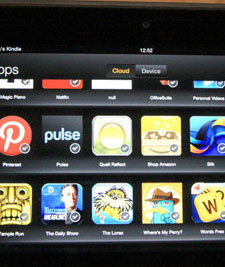
Was there a new Kindle Fire
Lucky for you, Amazon has made the setup and configuration of the Kindle very easy. It takes about 15 to 20 minutes, and will require an Internet connection. You can do it anywhere, however, so if you receive it at a relative’s house, it’s fine to use their Wi-Fi to set it up and get going!
After turning on the Kindle and setting your language, you’ll need to connect to an available Wi-Fi network. Once you have WiFi access, sign into your Amazon account if you have one – if not, the Kindle will walk you through the steps necessary to create an account. When finished, select the timezone where you’ll be using your Kindle, and confirm your Amazon account.
Now, you can enter information for social networking sites like Twitter and Facebook, so you can share posts and information with your followers if you’d like.
It’s a good time now to consider security
With the Kindle Fire up and running, why not install some apps? Here are a couple that we recommend to get you started – two media must-haves, and two great games:
* Pandora
* Netflix
* Angry Birds Star Wars
* Plants vs. Zombies


Don’t forget to protect your new tablet. Cases and covers are plentiful – see our recommendations: Kindle Fire Cases and Covers